
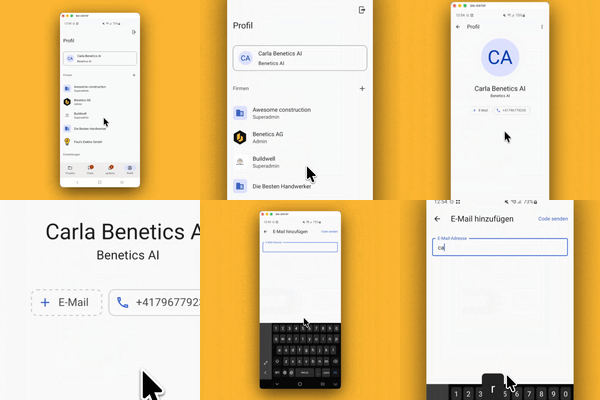
Here's how it works in the app:
- Go to profile
- Tap your name
- Select "+ Email"
- Enter email
- Tap "Send code"
- Enter the code received via email
Here's how it works on the PC:
- Click profile name in the bottom left
- Click on "profile"
- Select "+ Email"
- Enter email
- Click "Send code"
- Enter the code received via email
💡 Good to know:
- Once an email address is added, you can easily log in via email as an alternative to a mobile number. This ensures you'll always receive a login code reliably, even if you can't receive text messages.
- For now, only colleagues in the company can see your email address.
- The same works in reverse: If you originally signed up with just an email address, you can add a phone number the exact same way.